
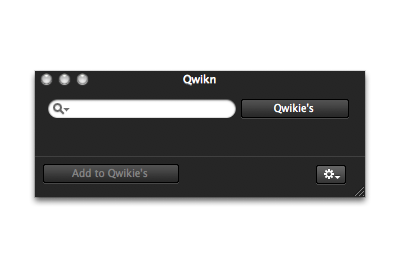
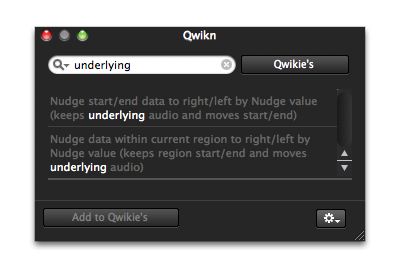
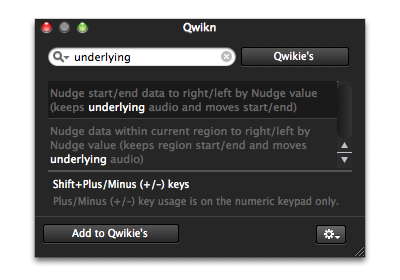

What is Qwikn?
Qwikn lets you effortlessly search and store keyboard shortcuts.
Qwikn for Pro Tools 8 simplifies a process
You no longer have to leave your DAW and open a PDF or web browser to search for a keyboard shortcut — you know, the one you should be using but were too lazy to find and remember! Qwikn does this all for you, allowing you to remain focused on more important things — like making music.
Requirements
To run Qwikn for Pro Tools 8 you'll need
- Intel or PPC Mac with OSX Leopard 10.5.5+
- A measly 2.5MB free disk space (for installation)
Not required, but it would be nice
- Pro Tools 8 — any flavor
- Tell your friends about Qwikn so I can buy more coffee


FREE Keyboard Focus Mode desktop
Download our handy desktop (Zip contains 5 screen sizes)
 Free download
Not a one trick pony
Open Qwikn for Pro Tools 8 with it's very own keyboard shortcut
You don't even have to click the Qwikn icon in your menu-bar to open Qwikn — just use Control+Option+Down-arrow. Makes using Qwikn even quicker!
'Float above all windows' Preferences option
In Qwikn Preferences you can enable (or disable) the 'Float above all windows' option — so Qwikn is always 'on top' and ready to go.
Reverse look-up
Seen or heard of a shortcut but don't know what it actually does and you were too cool to ask? Just type in the shortcut and reverse look-up it's description.
Made by Mac / Pro Tools users for Mac / Pro Tools users
We love Mac and Pro Tools — especially Pro Tools 8. Qwikn for Pro Tools 8 is made with TLC especially for both.
A quicker look at Qwikn for Pro Tools 8
9 reasons you'll love Qwikn (there's more than 9, but we'll run out of room)
- Find keyboard shortcuts fast
- Store keyboard shortcuts as Qwikie's
- Never leave Pro Tools to look-up keyboard shortcuts
- Perfectly integrated with the new look of Pro Tools 8
- Made by Mac / Pro Tools users for Mac / Pro Tools users
- Costs less than lunch at a sushi bar
- Super-cool window sliding effect
- Remembers last 10 searches
- There is no 9
A few words about 'us'
Well, there's really only me ...(and a guy named Les)
The idea for Qwikn was spawned a few years ago but was shelved for a number of reasons. On recent internet travels however I was lucky to stumble-upon a pretty clever COCOA developer (Les) who said he could make Qwikn for me — so he did, and now here 'we' are.
We make a pretty good team — Les is smart, and I'm, well... not as smart, but I know what I want Qwikn to be and Les makes it a reality.
I think Qwikn is pretty cool. Les agrees. My girlfriend thinks otherwise.
Why do 'I' charge for this?
It turns out Les doesn't work for free — the nerve of some people, right?
Any revenue from a Qwikn sale is split three ways. Some goes to Les for software revisions and updates. A percentage goes to associated website and marketing expenses, and with whatever's left I buy coffee (and chocolate biscuits — if they're on special).
I'd eventually like to break-even with what it's cost me to get Qwikn to market — but I hazard to guess when that will actually be. My girlfriend hopes sooner than later because I've spent all my savings and she's getting tired of having to pay the bills — she can be so selfish sometimes ...
QwiknMail
Subscribe to QwiknMail and we'll keep you posted on news or version updates. Sometimes the emails look really cool with lot's of nice pictures and dark background colors like this website. I'll even put an Unsubscribe link on the bottom so you can opt-out anytime you like.
Contact me or Les
If you have any general or support enquiries, simple fill out the form below.
Please note some replies may take up to 24hrs, depending on time-zones.
We'll endeavour get back to you as fast as humanly possible.